
Platforms that enable quick and meaningful relationships have become extremely popular in a time when digital connectivity changes our social interactions. However, sometimes you just want to talk to someone with complex procedure or personal information.
Chatspin app is exactly what you want. There is no sign-up or add your interests quiz or anything that may annoy you. You click “next” and proceed if you don’t click. Think of it as the digital counterpart of striking up a conversation on the bus, where the bus represents the entire planet.
This article will explain what Chatspin is, its main features, how it operates, its benefits and drawbacks, and some usage advice.
What Is Chatspin?

Chatspin is a random video chat platform that provide you a chance to connect with strangers all over the world. Over the years, it has grown quickly thanks to how easy it is to use. You don’t need to build a profile or share personal details just to get started — which is a big reason many people prefer it over traditional social apps.
It is very easy for new users to get into Chatspin. You choose your gender, hit the start button, and you’re matched with someone else who’s online. That’s it. No forms, no waiting rooms.
According to the platform, billions of connections have already been made through Chatspin. Whether you’re hoping to meet new people, practice a language, or just have a short conversation with someone outside your usual circle, it offers a simple way to do exactly that.
Core features of Chatspin
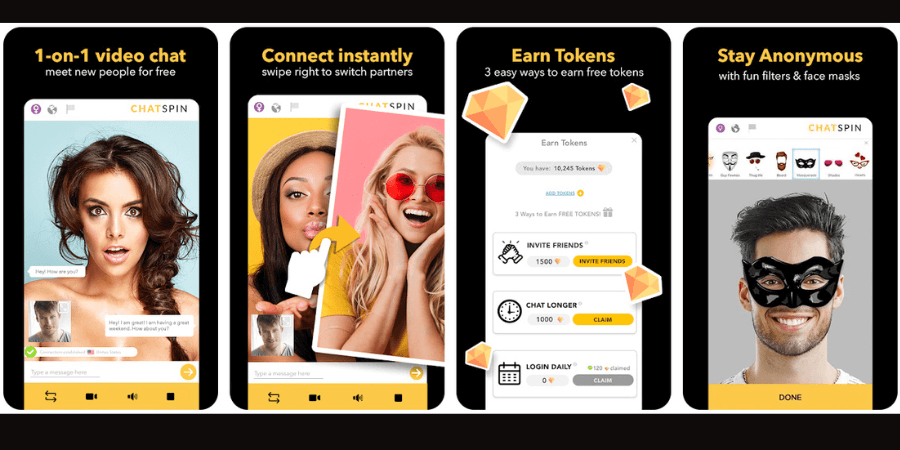
- 📢Random Video Chat: Every click brings a new face — maybe a teacher from Japan, an engineer from the US, or someone from Thailand. Truly random, every time.
- 🥰Multiple Filters: With an account, you can set basic preferences like location or interests, pick a country, or add a one-word interest tag — the app never forces you into a bubble.
- 🌟A Clean User Interface: Nothing feels crowded. The layout is clean, the buttons are obvious, and most users don’t need a tutorial.
- 💡Multiple Devices: Chatspin works on phones, computers, and the web, with no learning curve when switching devices.
- 🎉Translation: You’ll meet people who speak zero English. The built-in translation tool keeps the conversation going across languages.
- 🍰Chatspin Plus: For frequent users, the paid option ($$6.99/week or$$19.99/month) removes ads, unlocks filters, and smooths out the experience.
How to Use Chatspin?
Here’s a detailed guide for getting started fast and making the most of the platform.
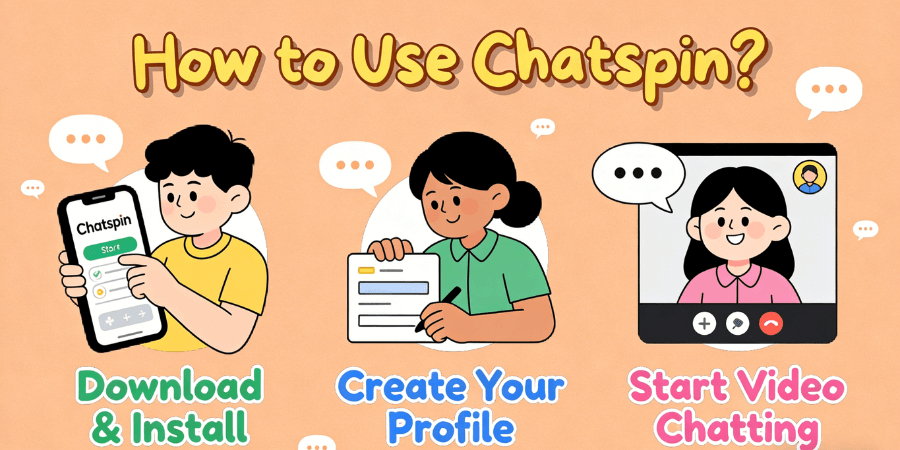
Step 1: Go to the Chatspin Website
- Open the Chatspin website in browser or download the Chatspin app from app store.
- The first thing you’ll notice is it doesn’t make you “build a profile” before you can do anything.
Step 2: Make an Account
- You create an account with your Google or Email. Then click the sign-up button and choose a username.
- In order to protect your privacy and security, you don’t have to offer much personal information.
Step 3: Set Up Your Profile
- This step is optional, you can decide to finish your profile and add an avatar. The platform often permits anonymous use.
- You’ll be instantly directed to the video matching page after you’re finished
Step 4: Start A Chatting Experience
- Click start button, the platform will randomly pair you with other online users to start a video chat.
- If the vibe is off or it’s just awkward, don’t worry, you can end it and turn into the next match right away.
Chatspin User Experience
Most people figure out how Chatspin works almost immediately. You open the page, allow the camera, and you’re already talking to someone. There’s no real learning process, which is probably why many users stick around even if they’re just killing a few minutes. However, many users judge there are still disadvantages of Chatspin.
What Users Like🥰
- Matches usually happen right away, so you’re not stuck waiting.
- The screen stays clean and simple, without ads constantly getting in the way.
- A few filters help avoid totally random pairings and make chats feel more relevant.
- The mobile version runs smoothly, which makes quick chats easy anytime, anywhere.
Room for Improvement😣
- The free version feels a bit restricted once you use it more than casually.
- Since matches are random, some conversations end quickly or don’t really click.
- In certain locations, the connection isn’t always stable and video can lag.
Some Usage Tips
Despite Chatspin’s emphasis on anonymity, users should take the following security precautions:
- It’s better to keep chats light. Names, phone numbers, or where you live don’t really need to come up with strangers.
- The experience is smoother on a private network. We don’t recommend public Wi-Fi, because it’s not always the best idea. You need a stable and quiet environment to start video chat.
- If you want to experience more excellent functions and choose to pay for additional features, please make sure the payment page appears authentic. Once you have a problem, end it immediately and ask for help to supporters.
Summary
In general, the Chatspin app is an ideal platform for those who appreciate video social networking and cross-cultural contact. It is basically the digital version of people-watching, except the people can talk back. You sign up, say hey, and bounce whenever it gets weird. If you’re searching for a quick, low-pressure way to connect and check who’s online, Chatspin is worth a shot.
FAQs
Do I have to pay to use Chatspin?
Not really. You can open the site and start chatting without spending anything. Paying mainly removes limits and ads, but if you’re just curious or chatting occasionally, free access works fine.
Is Chatspin really safe?
Chatspin is an established platform, but no random chat is risk-free. Keep personal details to yourself, block anyone who makes you uncomfortable, and report rule-breakers through the in-app tools.
Is it actually private?
You don’t need to put in real details to talk to people, which already helps a lot. And if someone makes you uncomfortable, you can block them and move on. Like any open chat site, it’s still smart to keep personal stuff to yourself.
How do people usually upgrade?
There’s an upgrade option inside the app. If you tap it, you’ll see a few plans. Once you pay, the extra features show up right away—no extra steps or waiting.
Are there any Chatspin alternatives?
Apart from Chatspin, there are lots of other chat apps online, such as Callmechat, 1v1 Video Call, MiniChat and so on. If you want to try other random video chat platforms, these platforms can offer a fantastic experience.