
Introduction
As social networks and chat sites become larger and more public, there is an increasing desire for a privacy and fun place where you can chat with friends or strangers without sharing your opinions with everyone.
Chatzy, one of the most reliable and long-running platforms on the internet for setting up private chat rooms, facilitating group discussions, and engaging in anonymous text chat without having to register, download anything, or deal with intrusive advertisements.
This article will delve into Chatzy’s platform features, who is Chatzy best for, tips for getting more out of Chatzy, advantages and disadvantages of it and several alternatives.
What Is Chatzy?
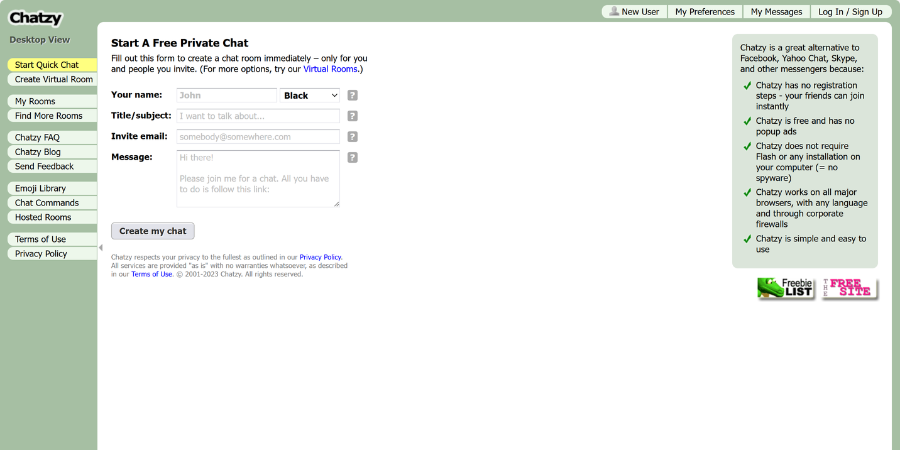
If you’ve ever wanted a place to chat without the whole “profile + bio + follow” routine, Chatzy is basically made for that. It’s simple, fast, and doesn’t ask you to turn your social life into a public place. You don’t need to show your face, and you don’t have to explain who you are before you start talking. Just join and chat!
A lot of people use it for quick conversations, school groups, small communities, or even private support chats. And some users also look for Chatzy sexchat-style rooms for more adult, private conversations.
Chatzy mainly gives you two ways to start a room, depending on how much control you want:
-
Quick Chat This is the “just let me talk” option. You jump in and start chatting right away. It works well when you don’t set up settings, but the downside is that you can’t really adjust much such as passwords or room rules.
-
Virtual Room This one feels more like your own space. You can use it with a password, decide who can come in, set a welcome message and keep things more organized. If you’re willing to chat with a group of friends or keep a small community, this room is the better choice.
A Quick Look at Chatzy’s Features
🪂Instant Chatzy Chats
It is super easy for new users to get started with Chatzy. You open the page, type a message, and you’re already in. If you want the match to feel less random, you can add a few details, like interests or location, but even without that, it still works fast.
🍧Edit Your Preferences
You can stay anonymous and still use Chatzy normally. But if you want more control, like choosing how people can reach you, logging in helps. Once you’re signed in, you can set things like whether others find you through email, a Chatzy ID, or something else. You can also adjust small details like timestamps, background colours, and chat style, which makes the room feel less generic.
🍥Start a Quick Chat
Making your own room is simple. You enter a name, give the chat a topic title, generate an invite link, and you’re done. You can send it to one person for a private conversation, or share it with a few friends and turn it into a small group room. No complicated setup, no “add member” drama.
🍭Loads of Chatzy Rooms
Don’t feel like creating a room? Then just join one. Hit “Find More Rooms,” type in a keyword, and you’ll see different groups you can jump into. Some are super active, some are quiet. You’re free to move around. If you don’t like the room, just leave and try another.
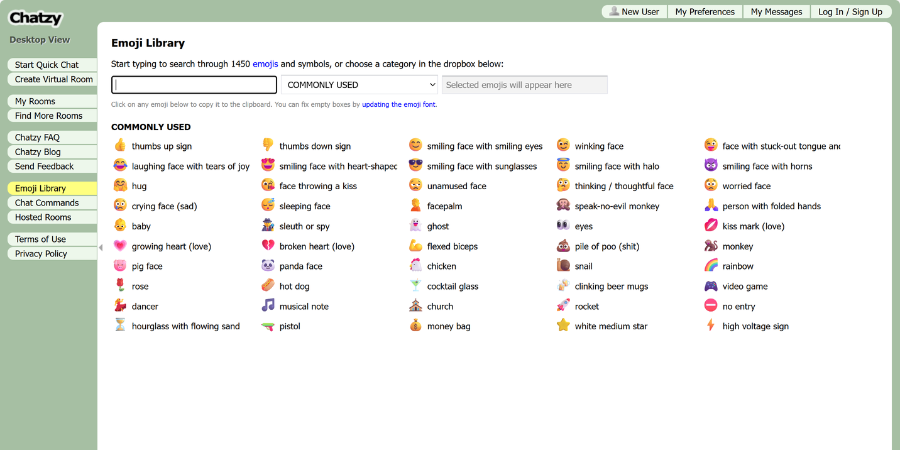
🎨Emoji Library
Chatzy also has a decent emoji set. Nothing crazy, but enough to keep messages from feeling too stiff. Sometimes that little extra colour helps, especially when you’re talking to someone you’ve never met.
Who Is Chatzy Best for?
Chatzy is basically for people who just want a chat room and don’t feel like doing extra work.
-
If you’re chatting with friends or classmates for a short time, like homework help, group projects, or just a quick hangout, Chatzy works fine.
-
It also fits small online groups. Not big “social media” style communities, more like: hobby discussions, mini meetups, casual group chats, or even small support circles.
-
And if you’re part of a club or organization, it can be used as a simple internal space. Something lightweight, not a full workplace tool.
Tips for getting more out of Chatzy
🧁Use a password when it matters.
If you’re talking about personal stuff, school work, or anything private, don’t leave the room open. Don’t ignore the formatting tools. A little color or bold text makes long chats easier to follow — especially if the room gets busy.
🥝If you want to run a study group, Chatzy can actually work pretty well.
You can keep the room organized, assign roles if needed, and save the chat if you want to review it later.
🎬For family or friends, a permanent room is easier than endless group texts.
Everyone can drop in when they’re free, and the conversation doesn’t get buried like it does in messaging apps.
🍰Save the transcript when the chat is useful.
Whether it’s meeting notes, brainstorming ideas, or just a long discussion you don’t want to lose, exporting it takes two seconds.
💡Give moderator rights to someone you trust if your room is larger.
It keeps things from turning chaotic, especially in public rooms.
🪀Set the tone early.
A simple welcome message or a few basic rules can stop a lot of problems before they start.
🍊Switch devices whenever you want.
Since it runs in a browser, you can open Chatzy on your phone, laptop, or tablet without downloading anything.
Pros and Cons: Is Chatzy for You?
✅ Pros
-
You get more than one way to chat. You can keep it quiet with 1-on-1 conversations, or jump into busy group rooms when you want energy.
-
There’s usually someone online. It doesn’t feel like an empty platform. You can almost always find active users.
-
Streamers can actually earn money. Gifts can be turned into real payouts, so for some hosts, it’s not just for fun. It becomes income.
-
Language isn’t a huge barrier. With many language options, it’s easier to talk without forcing everything into English.
-
It doesn’t get boring fast. Between live rooms, casual chats, and small interactive features, there’s always something happening.
⚠️ Cons
-
The web version feels limited. It works, but the experience is clearly built around mobile. Most features are better on the app.
-
New users may feel restricted at first. Some options unlock gradually, so it’s not “everything available from day one.”
-
Gifting can be expensive. It’s easy to spend more than you planned if you’re not paying attention.
-
Not every chat will feel smooth. When users come from different cultures, jokes and boundaries don’t always translate well and sometimes things get awkward.
Chatzy Alternatives: Apps You Can Try Instead
If you like the vibe of Chatzy or enjoy the fun experience but feel like trying something different, there are a few other platforms worth checking out. Each one leans in a slightly different direction. Some focus on quick 1v1 chat, others are more random and anonymous.
1v1 Video Call
If you don’t want extra features, coins, or complicated layouts, 1v1 Video Call is a solid pick. It keeps things simple: quick one-on-one calls, easy matching, and a stronger focus on real conversations.
Antiland
Antiland is more about spontaneous connections. You can jump into random matches fast, and the real-time translation feature is a nice bonus if you end up chatting with someone abroad. It’s a good choice for casual meetings or language practice.
Solla Chat
Solla Chat feels closer to the classic Chatroulette style. There’s almost no setup, no profile building, and no real “social layer.” You just click, connect, and move on. It is suitable for you if you want pure anonymous video chatting.
Bigo Live
Bigo Live takes a different route. It’s well-known for its gender-based matching and livestream-heavy vibe. The platform runs on a “women free, men pay” system, which some users say helps reduce spam and improves match quality.
FAQs
Is Chatzy safe?
Other than your username, the website claims to keep your information private. utilize common caution: don’t provide personal information, and if necessary, utilize the in-chat report tool.
Is my video chat on Chatzy private?
According to Chatzy, these video broadcasts are neither recorded nor stored. But always keep in mind that anything you say or do on a live video platform might be captured on the other person’s device.
What happens if I get a matching error?
If you see a matching error, don’t panic. It’s usually just a temporary glitch. Try refreshing the page and hit “Start Searching” again. Most of the time, one quick reload fixes it.
Can I make real friends on Chatzy?
Yes, in order to help you establish and sustain longer-term relationships with people you meet, you can also add friends, obtain persistent text chat, and use stories.
What are some good sites like Chatzy?
Great options include Meetville for a modern take on one-on-one video chat with a privacy focus, and 1v1 Video Call for purely direct, private conversations with girls.