
What Is Wireclub?
Wireclub isn’t your typical social network. Born out of a personal side project in 2003, it’s quietly grown into a global hub for low-pressure, interest-driven conversations—hosting over 8.5 million users who exchange more than a million messages every day. What sets it apart? The ability to maintain anonymity while making genuine connections. Wireclub provides you control over how you appear online-no profile pictures or life stories are necessary-whether you’re starting a private conversation with close friends or entering a public area to discuss independent music.

In contrast to apps that demand your real name or push selected feeds, Wireclub relies on spontaneity and user-led structure, You have the option to build your own area with personalized rules and moderation tools, visit thousands of topic-based chat rooms, or just drop in as a guest. Many people stick around over time, not simply to talk but also to write, share images, and create communities that truly belong to them. It’s more like entering a vibrant, constantly evolving digital neighborhood where you choose who to chat to and how in-depth the conversation is than it is like reading through a feed.
Key Features of Wireclub
-
Whatever you love, there’s a chat room for it
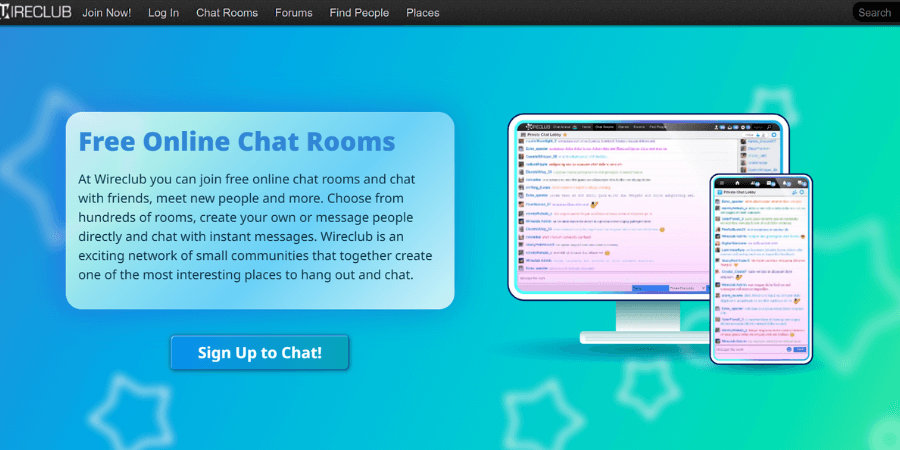
The most popular feature of Wireclub is its amount of chat rooms. There are spaces for games, technology, hobbies, companionship, informal discussion, dating, and more. And there are several spacious general rooms.
You can:
- Jump into active public rooms and talk with a group
- Seek out spaces that fit your mood (flirting, casual talk, serious conversation, etc.).
- If you feel uncomfortable, feel free to switch rooms.
-
Private Messaging for 1v1 Chat
If you click with someone in a room, you don’t have to keep everything in public. You can switch to a one-on-one conversation without anyone else seeing it thanks to Wireclub’s support for private communications.
That’s useful when:
- A group conversation turns into a more personal topic.
- You want to get to know someone better without interruptions.
- You prefer a quiet situation rather than a noisy room.
-
Friend Lists and Social Profiles
Wireclub isn’t just “log in, chat, leave.” To get connected with people you want to communicate with, you can make a simple profile and add them as your friends.
In general, you can:
- Set a brief nickname and a profile
- Add users you like to your friends list
- See when they’re online so you can catch up again
It gives the platform a light social-network feel, without turning it into a full-blown “post and feed” site.
-
Simple Games Inside the Platform
One fun part of Wireclub is that it includes built-in games. You’re not just stuck typing all the time—you can relax and play while chatting.
People use these games to:
- Break the ice with new people
- Pass time together while talking
- Next, make a casual conversation more playful
It’s a minor detail, but it makes the entire experience feel more like hanging together than just texting.
-
Create your own room and Customization
You are not restricted to the existing rooms. Users can establish the tone of their own chat rooms on Wireclub.
As a room creator, you can:
- Pick a topic or theme
- Decide if it’s open to everyone or more private
- Help moderate the chat if you want a cleaner or more focused space
Instead of just going along with what happens in public rooms, you can decide what the vibe feels like.
-
Tools for Community Moderation and Reporting
As Wireclub is a social space with many strangers, it contains fundamental tools for moderation to prevent things from going out of control.
Users can:
- Report behavior that crosses the line
- Block people they don’t want to interact with
Like any public chat platform, the Wireclub chat platform also have some shortcomings, but these options can help you customize your experience and get away from uncomfortable people.
How to Use Wireclub
💚Step 1: Get Into Wireclub
First, open your browser and head to wireclub.com. On the top of the page, click “Log In” – this is where your Wireclub login journey starts.
You can then choose to:
- Create a free account using a username or email plus a password, or
- Join as a guest if that option is available and you just want to look around first.
In some regions, you might see a “Sponsor Needed” notice. If that pops up, you can either upgrade to Wireclub Gold to unlock access directly, or reach out to the site admins to ask about getting sponsored.
💜Step 2: Log In and Get Your Access Sorted
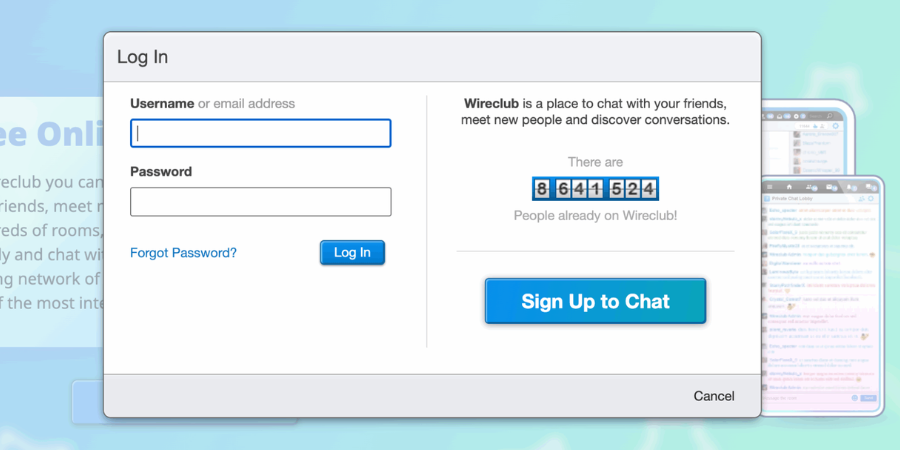
After registering, log in to the website using your Wireclub login (password + username/email). To avoid typing your information again for a time, you can check “Remember login.”
If you’re on mobile, you will still use a browser. To ensure that the whole website including Wireclub chat features are displayed correctly, it frequently helps to switch your browser to Desktop Mode after checking in.
💛Step 3: Create a Profile
You don’t have to treat it like a full social network, but a basic profile makes Wireclub chat much easier and more natural.
You can:
- Add a profile picture (if you want some privacy, it doesn’t have to be your actual face)
- Write a brief bio to let people knotw what kind of conversations you enjoy
- Select a few interests to increase the likelihood that like-minded individuals will say hello.
- Add friendly users to your friends list for future conversations
💖Step 4: Join or Create a Wireclub Chat Room
Now comes the main part: actually using Wireclub chat.
You can:
- Browse popular rooms to see where most of the activity is
- Join rooms based on language, country, or whatever you like
- Look for smaller, niche rooms if you prefer slower, more focused conversations
You can create your own chat room if there’s nothing that really seems like “your place.” Give it a name, establish a theme and a few basic guidelines, then extend an invitation to acquaintances. You can create your own tiny area of Wireclub rather than merely fitting in with the atmosphere of public spaces.
💙Step 5: Join, Chat, and Keep in Touch
Once you’re inside a room, just act as though you’re having a casual group discussion:
- Say hello, talk to others, and share your opinions.
- To start a conversation, use jokes, emoticons, or lighthearted banter.
- Move between different rooms until you find a few you really like
If you click with someone during Wireclub chat in a room, you can:
- Click their profile
- Send them a private message for a 1v1 chat
User Experience on Wireclub
“One of the nicest things about Wireclub is the mental-health support room. People can talk when they’re struggling, and there are plenty of other fun rooms from gaming to casual chat.”
— HookupAdvisor Wireclub Review
“Wireclub is a secure, safe place to meet new people. It gives members lots of options to find matches and start conversations, with safety tools built in.”
— Ryan Grover, Wireclub review on Lovezoid / DatingRating
“Wireclub Media Inc. has been my go-to for website projects. The team is professional, quick to respond, and delivers solid, high-quality work every time.”
— Jose Miyashiro, Trustburn
Wireclub vs. 1v1 Video Call: A Comparison of the Two Chat Platform
How does Wireclub compare to 1v1 Video Call?
| Feature | Wireclub | 1v1 Video Call |
| Free Registration | ✅ Yes | ✅ Yes |
| Group/Public Chat Rooms | ✅ Yes | ❌ No (usually 1-on-1 only) |
| 1-on-1 Video Calls | ❌ No (text-based) | ✅ Yes |
| Create Your Own Rooms | ✅ Yes | ✅ Yes |
| Media Sharing (pics/text) | ✅ Yes | ✅ Yes |
| Profile Customization | ✅ Yes | ✅ Yes |
| Mobile Optimized | ✅ Yes (browser) | ✅ Yes (mostly app-based) |
| Games & Gifts | ✅ Yes | ✅ Yes |
| Coins / Virtual Currency | ✅ Yes | ✅ Common (for gifts, boosts) |
Conclusion
It is unnecessary to create a flawless profile or divulge your entire life story in order to access a variety of public rooms, specialty groups, 1v1 chat, and even forums with a straightforward Wireclub login. You can decide who you talk to, and how in-depth the conversations are.
Unlike a pure 1v1 video conference platform, Wireclub does not compel you to have face-to-face conversations. Instead, it provides a more gentle introduction: text first to get a sense of the space, then, if it seems appropriate, go to private chat. For some people, that slower, room-based approach feels safer and more natural. For others, it becomes their regular online “third place” — not home, not work, but a familiar digital neighborhood where there’s always someone to talk to. If that’s the kind of social space you’ve been missing, Wireclub is worth exploring for yourself.
FAQs
-
Is multilingual communication supported by Wireclub?
Yes, Wireclub features multilingual chat rooms and interactive environments, and its users come from all over the world.
-
Is Wireclub free to use?
Actually, when you sign up, it is free that you can access all of Wireclub’s services, including sending messages, exploring rooms, and taking part in public discussions. However, if you want to use gift coins and Wireclub Gold, you need to spend optional extras. Apps such as Luckycrush and FTF Live are known for offering a generous set of features without requiring payment upfront.
-
What should I do if I forget my Wireclub login details?
Click “Forgot Password” on the Wireclub login screen. Then you need to enter the email address you used to register. Next, you will receive a reset link. And check your inbox for past Wireclub communications or contact supporters using the details you can remember.
-
Is Wireclub safe?
Wireclub places a high priority on user security and privacy in several ways. You’ve got full control over your profile and who gets to see it, and you can choose who’s permitted into your chat rooms. If some is misbehaving, Wireclub will immediately report or block.
-
Can I prevent my profile from appearing on Google, and who can truly view what I discuss on Wireclub?
If you set the profile to “friends only” or even “only me”, it will vanish from public listings and search engines. Only the people you let in can truly view what you discuss on Wireclub. Just keep in mind that anything you type in an open room is visible to everyone there, so true secrets should be kept in private messages rather than on public walls.